AI Chatbot for Real Estate Agents: Qualify Leads & Capture Viewing Requests
A practical inquiry workflow with fictional listing data, original conversations, and clear rules for agent follow-up.

A visitor asks about a three-bedroom home while you are at another showing. They want to know whether it is available, whether there is an HOA fee, and if they can see it Saturday afternoon. A useful chatbot for real estate agents turns that message into an organized inquiry: the property, the questions, the visitor’s preferences, and a viewing request that a person can confirm.
The goal is a clear next step. A requested time is not a booked appointment, and an old listing record is not proof of current availability. This guide outlines a proposed workflow you can adapt and test with your team. The listing, conversations, and handoff below are fictional examples, not a deployed SchoolsAI real estate integration or a customer result.
What should a real estate chatbot handle?
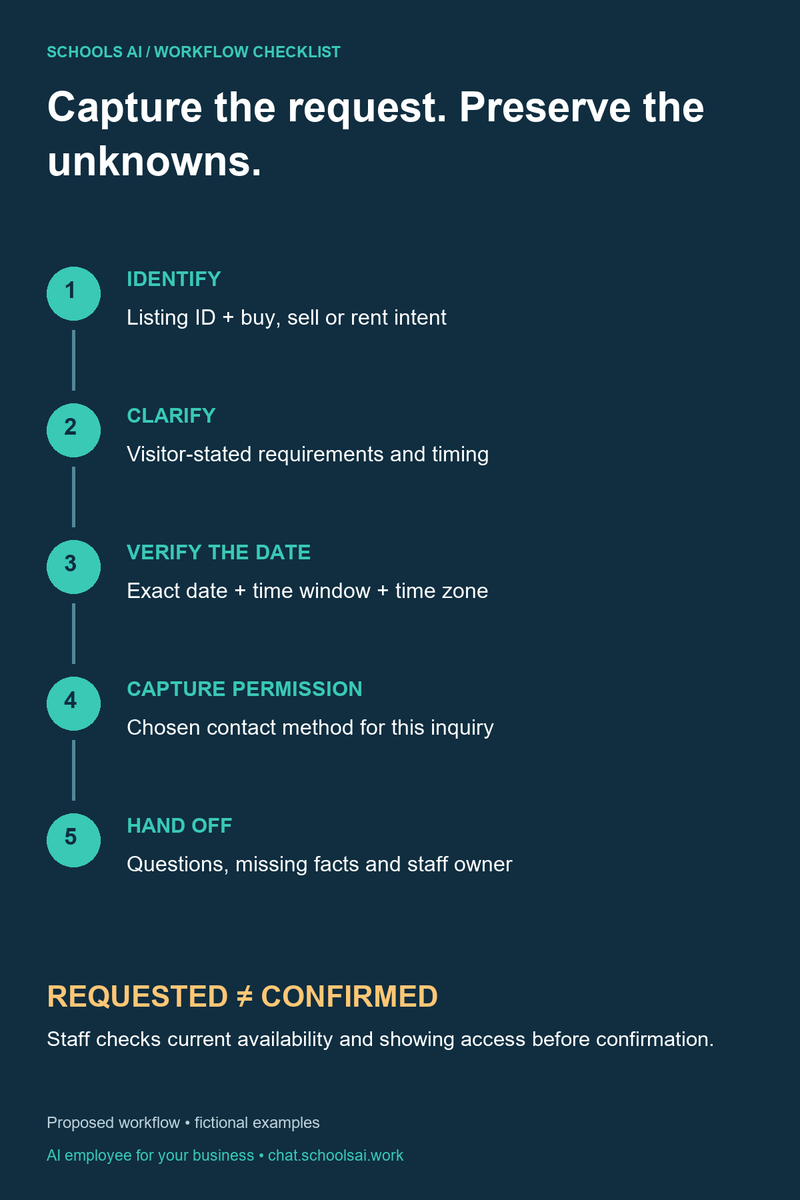
Start with three jobs: answer approved listing questions, collect the information an agent needs for follow-up, and route exceptions to a person. The same approach works whether your team calls it a chatbot for realtors, a real estate sales chatbot, or a website inquiry assistant.
Here, “qualify leads” means understanding the inquiry: buy, sell, or rent; desired property; preferred location; stated budget; and timing. It does not mean deciding whether someone qualifies for housing, financing, or insurance. Keep a human responsible for advice and decisions.
Make the assistant’s role explicit. An opening such as “I’m an automated inquiry assistant. I can collect your questions and viewing preferences for the team” sets a useful expectation. Give visitors a way to ask for a person immediately, without completing an intake questionnaire.
Build the workflow around approved listing data
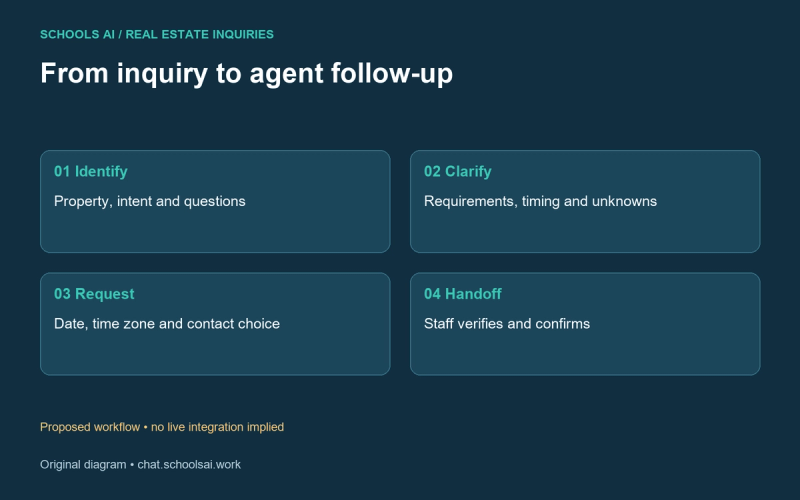
A generic answer about real estate is less useful than a precise answer about the property being discussed. Give each listing a stable ID and a clear source. Include the asking price, property type, bedrooms, bathrooms, published features, status, verification time, and staff owner. Separate facts from missing values.
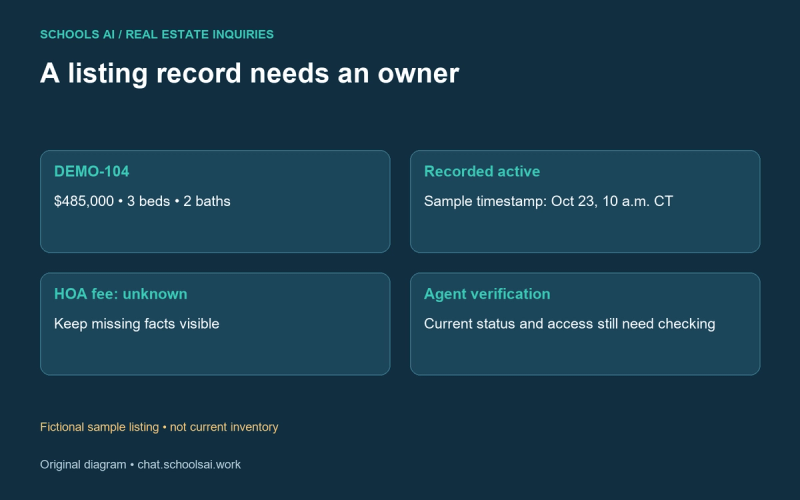
For this example, the approved test record is:
- Listing ID: DEMO-104
- Property: Cedar Lane sample home; fictional, no street address
- Market / type: Austin, Texas / detached house
- Asking price: $485,000; sample only
- Beds / baths: 3 / 2
- Published feature: Fenced backyard
- Last recorded status: Active; verified October 23, 2026, 10:00 a.m. Central
- HOA fee: Unknown; agent must verify
- Viewing policy: Collect requests; agent confirms access and availability
That timestamp belongs to the example. It must never be presented as live inventory. In a real configuration, define who updates the record, when it expires, and what happens when the source cannot be reached. An expired record should trigger verification, not an improvised availability claim.
Keep internal notes separate from public answers. Lockbox codes, seller contact details, private remarks, and access instructions do not belong in a general website conversation. A visitor asking to see a home needs a request pathway, not unattended access details.
Ask for useful context without making intake a barrier
First identify the request. “Are you asking about this property, looking for another home, or planning to sell?” is more useful than collecting a phone number before understanding the question. If a visitor already supplied the listing and timing, preserve them rather than asking again.
For buyer inquiries, ask about the area they name, property requirements, a comfortable search price range, and timing. Make optional questions skippable. Record “not provided” rather than guessing. Do not request Social Security numbers, credit reports, bank statements, or other financial documents in the chat.
A seller inquiry needs a different branch: general property location, type, the owner’s stated goal, and preferred contact method. Capture a request to discuss value with an agent; do not generate an appraisal or guarantee a sale price. For rental inquiries, collect listing questions and viewing preferences. Do not assess tenant eligibility.
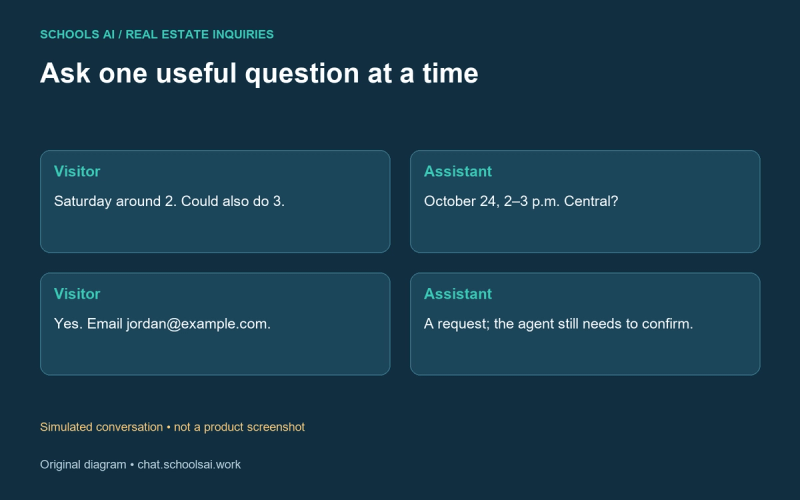
Original buyer conversation: from question to viewing request
The following simulated script uses DEMO-104. It illustrates the wording and branching your team should review before implementation.
Visitor: Is the Cedar Lane home still available? What’s the HOA fee?
Assistant: The sample listing record shows active as of October 23 at 10:00 a.m. Central, but the team needs to verify current availability. The HOA fee is missing from that record. I can include both questions for the agent. Would you like to request a viewing?
Visitor: Yes, Saturday around 2. We need three bedrooms and want to stay under $500,000.
Assistant: I’ve noted three bedrooms and a search budget under $500,000. Do you mean Saturday, October 24, 2026, around 2:00 p.m. Central Time?
Visitor: Yes. Could also do 3.
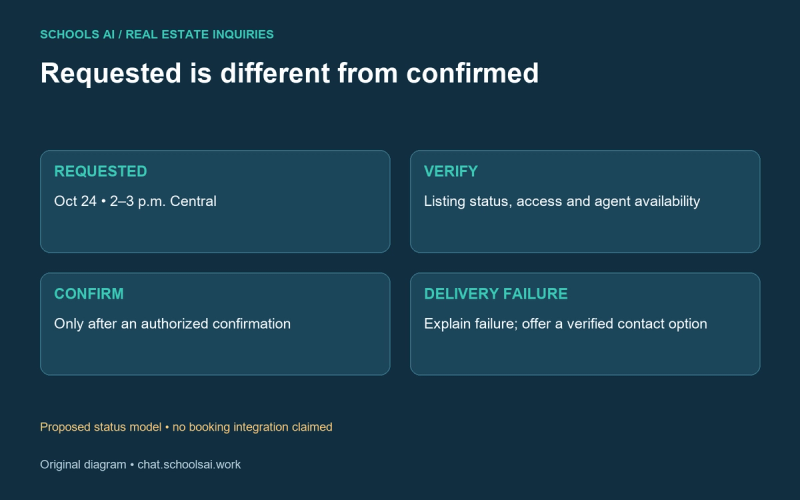
Assistant: I’ll record October 24, 2:00–3:00 p.m. Central as your preferred window. This is a request, not a confirmed appointment. What name and contact method should the agent use to follow up?
Visitor: Jordan. Email [email protected].
Assistant: May the team use that email to respond to this inquiry?
Visitor: Yes.
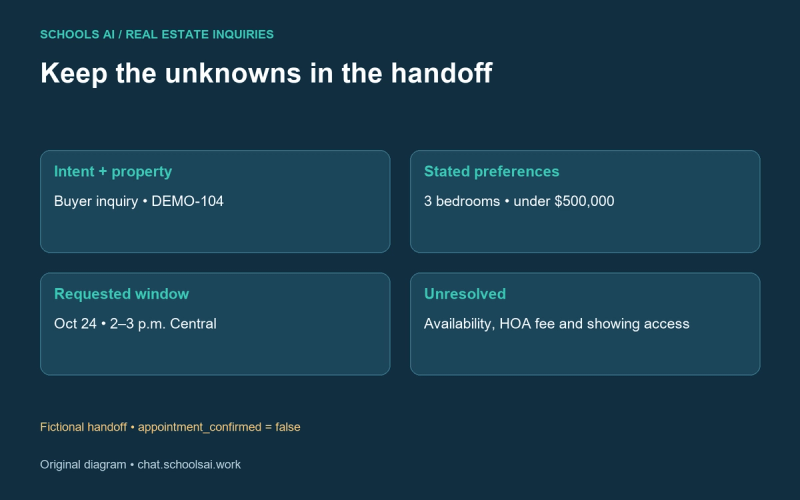
Assistant: Summary: DEMO-104; three bedrooms; budget under $500,000; viewing requested October 24, 2:00–3:00 p.m. Central. The agent needs to verify availability, the HOA fee, and showing access. Is anything missing or incorrect?
In a deployed workflow, only acknowledge receipt after the intake destination reports success. If the handoff fails, explain that the request was not delivered and offer a verified contact option. Do not display “sent to your agent” simply because a conversation ended.
Give the agent a summary they can act on
An inquiry summary should preserve the visitor’s meaning and uncertainty. In the fictional example, the record contains Jordan’s chosen email, inquiry-specific permission, DEMO-104, three bedrooms, budget under $500,000, and the requested date, time window, and time zone. It also includes unresolved questions: current availability and HOA fee.
Use separate fields for viewing_requested and appointment_confirmed. Set the latter to false until an authorized person or a tested scheduling system actually confirms. Preserve the original time phrase alongside the interpreted date so staff can catch ambiguity.
Assign an owner and a follow-up status. A small team might use new, assigned, contacted, awaiting visitor, and closed. Those are proposed operational labels, not a claim that SchoolsAI already connects to your CRM. Verify the destination, duplicate handling, delivery failures, and staff notifications before promising an automated handoff.
Escalate uncertainty and sensitive questions
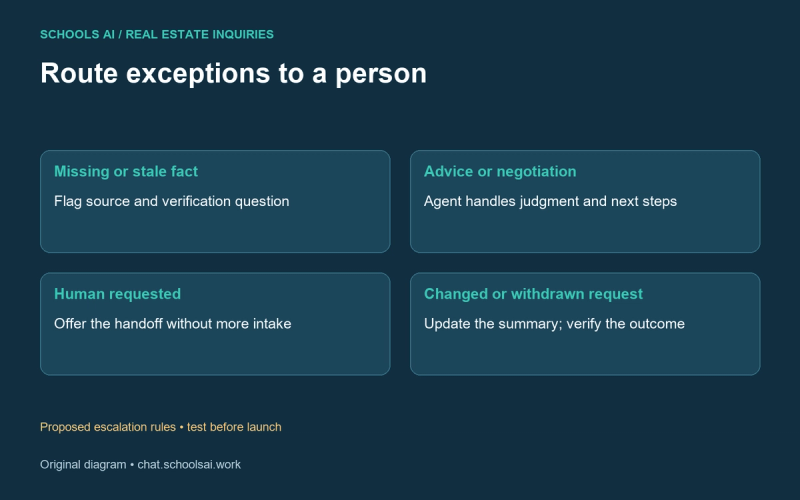
Route a question to a person when a fact is missing, conflicting, or stale; the visitor asks for negotiation or contract advice; access needs special coordination; or the visitor requests a human. An exception should carry the conversation, listing ID, outstanding question, and reason for escalation.
For example: “I don’t have a verified answer about that fee. I can flag it for the agent.” For financing: “I can record your question for the team, but I can’t assess financing or recommend loan terms.” For neighborhood questions, avoid judgments about who belongs in an area. Ask which concrete property features the visitor wants to discuss with an agent.
If someone changes their requirements, update the summary and show the change. If they withdraw a viewing request, preserve that action for staff rather than pretending a calendar event has been canceled. A cancellation claim also requires a verified result.
Test the entire path before inviting inquiries
Use a small approved listing set and test questions that expose failure modes. Ask about a missing fee, an outdated price, two similarly named homes, a vague “tomorrow,” a changed email, and a failed handoff. Check what the visitor sees and what the staff member receives.
Have an agent review the sample answers and escalation rules. Define coverage hours and show a response expectation only if the team can meet it. Review captured data, access, and retention with the people responsible for your intake process. Keep inquiry follow-up separate from unrelated marketing enrollment.
Measure practical outcomes: unanswered questions, corrected listing answers, incomplete requests, delivery failures, and time to human follow-up. Establish a baseline before claiming an improvement. Conversation count alone does not tell you whether people received useful help.
Plan your first SchoolsAI inquiry workflow
Bring a few approved listing records, your intake questions, and a named handoff owner. Use this example to discuss the workflow you want to configure and validate. Confirm actual data sources, delivery channels, and scheduling behavior before launch; this article does not establish that those connections are available or tested.
Discuss your inquiry workflow with SchoolsAI
Start with an accurate answer, preserve what is unknown, and give the agent a request they can verify and follow up on.
Plan your first inquiry workflow
Bring approved listing data and a handoff owner. Confirm the connections and test the workflow before launch.
Discuss your inquiry workflow →